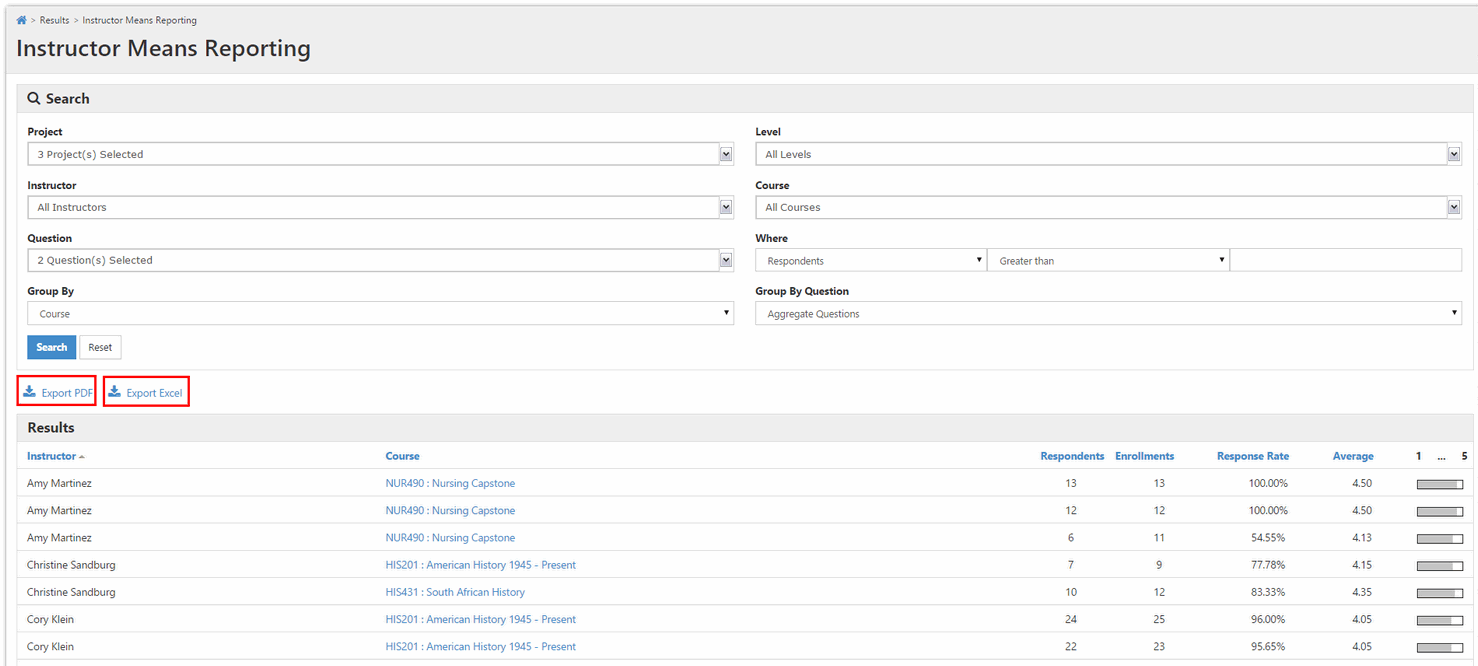
This feature allows EvaluationKIT administrators and administrators to view the aggregated mean score for a specific course and/or instructor for select questions. This reporting can be run within one project or across multiple projects.
Operational Steps
- Click on the Results tab.
- Select Instructor Means Reporting.
- Select the project(s) from the project drop down menu.
- Filter by Hierarchy Level, Instructor, or Course.
- Select Survey Questions.
Note: These questions must share the same weighting scale. - Group By:
- Choose to Aggregate Questions or Show Questions Individually
(Creates an Excel file - See sample below). - Create threshold where Respondents/Average is greater than, equal to or less than a specified number (I.e. Respondents Greater Than or Equal to 5).
- Results will display below the search criteria - unless Show Questions Individually is selected, which generates an Excel file.
- You can export this report to an Excel or PDF report.
Excel spreadsheet sample with Show Questions Individually option selected:
