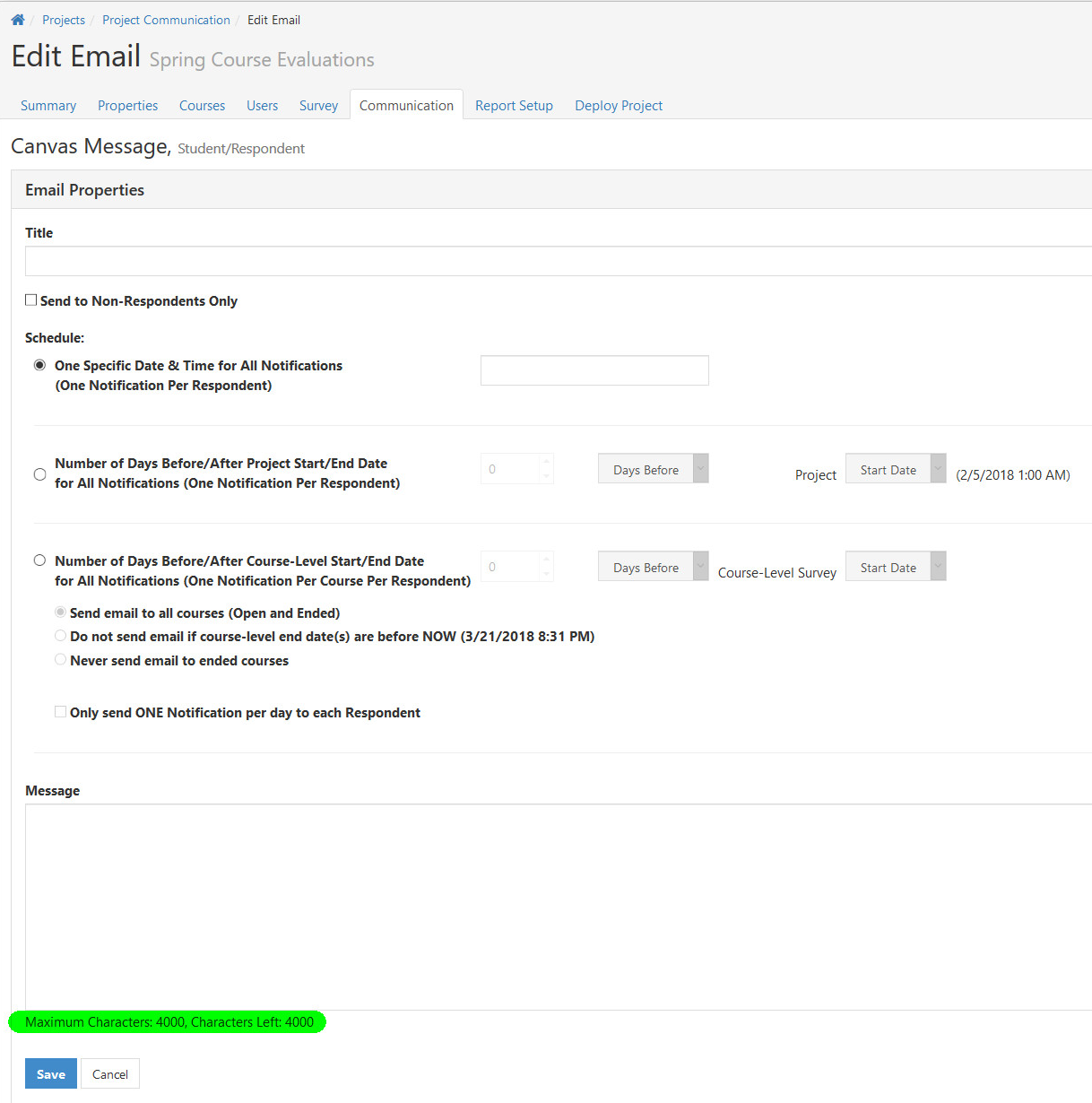
The Canvas Messaging feature allows you to schedule and send automated messages to students and/or instructors within a project.
NOTE
The Canvas Messaging feature requires specific permissions assigned to the Canvas Admin account that generated the access token.Please refer to the article Canvas Data Integration for more about required permissions for the Canvas Token Admin account.
Access Canvas Messaging
NOTE
- Only courses imported via the course import option will support the Canvas Messaging feature. Courses added via Excel upload or courses deleted from a project after a course import then added via Excel will not be supported with the Canvas Messaging Feature, and Canvas Messages will Fail.
- The Canvas message will be sent from the Canvas Administrator account used to create the token for the EvaluationKIT Data integration.
- The Canvas Administrator will receive a confirmation message from Canvas for each Canvas Message sent through EvaluationKIT, which can lead to a large number of confirmation emails.
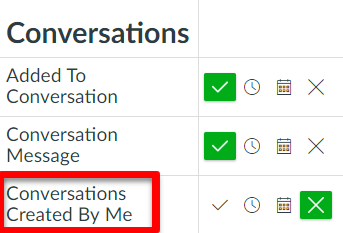
- The Canvas Administrator can disable these notifications in Canvas by clicking Account and Notifications; then, adjusting the notification settings for Conversations Created By Me under the Conversations section.