Released: 5/10/2020, 2:00 a.m. Eastern
-
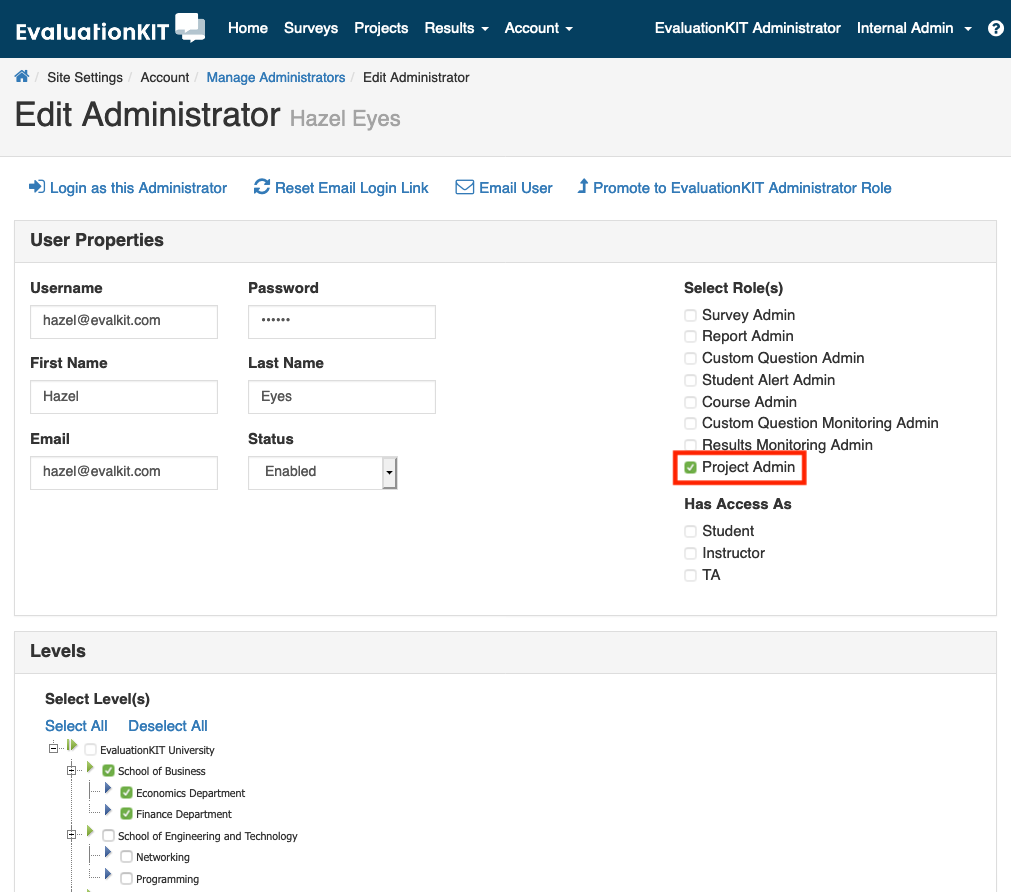
Project Administrator Role: In the past, only EvaluationKIT Administrators could deploy projects from his or her user account. To help you empower other administrative users and distribute the workload of managing course evaluations and surveys, we introduced a new role of Project Admin to the ‘Manage Administrators’ area.
The EvaluationKIT Administrator is now able to assign one or more users as a Project Admin, who can then create, manage and deploy projects within their academic area or level(s) of access. This role also solves the problem of giving an administrator control over a project in their academic unit or level(s) of access only, while securing the survey results from other campuses and departments in their own academic hierarchy.
Please CLICK HERE to learn more about the Project Admin role.
Released: 4/26/2020, 2:00 a.m. Eastern
-
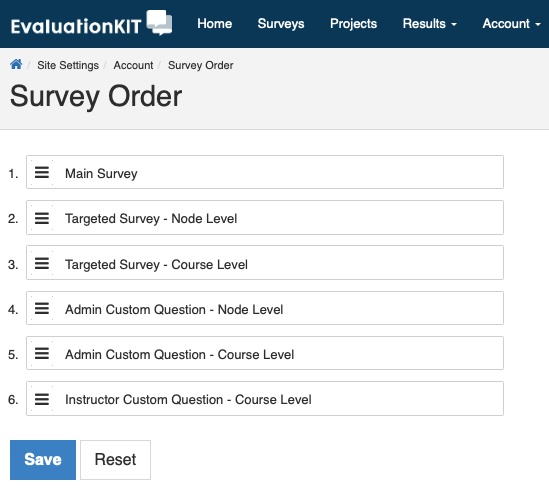
Reordering Course Evaluation Surveys at the Account and Project Levels: EvaluationKIT Administrators are now able to change the order of Main, Targeted, and Custom Question Surveys at the account and project levels. This self-service feature allows more flexibility and customization so that the flow of questions in a survey is exactly how you want it. The account-level settings can be overwritten for the individual project being launched, and edited by EvaluationKIT Administrators.
Please CLICK HERE to learn more about the Survey Sort Order.
Important Note: Account-level ordering updates made after the project-level survey order changes will overwrite the project-level updates.
-
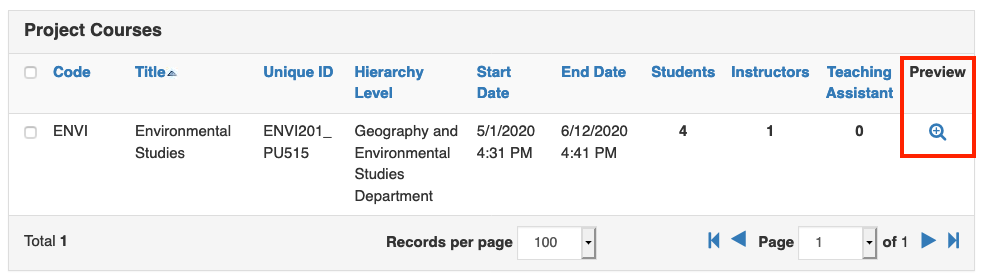
Preview Survey: Viewing the entire survey from a student/respondent perspective has been challenging for administrators and instructors, requiring assistance from the EvaluationKIT Administrator. With the new 'Preview Survey' feature on the Custom Question Survey and Manage Courses sections, administrators and instructors are now able to review the survey themselves through one single view as it is distributed to students. When enabled, the student-view preview appears in a modal window and includes all survey questions, regardless of survey type or who added them.
Please CLICK HERE to learn more about this new feature.
-
Project-Level Survey Notification Functionality for Moodle Integration: Moodle users are now able to manage the Survey Notification function at both the project-level and account setting level. This enhancement is new to our Moodle integration, yet remains the same for our other LMS integrations. This functionality is helpful in cases where you would like the Survey Notification messaging or settings to differ on a project basis, or just for a specific project. If you don't have a need to manage your Survey Notifications at the project-level, then the existing account-level Survey Notification messaging and settings would be the way to go, and the system will automatically default to your account-level settings.
Please CLICK HERE to learn more about this new feature.
- Deferral Reporting: In conjunction with the Moodle Student Survey Notification Settings at the project-level comes Deferral Reporting. Moodle users are now able to use this feature to monitor the survey deferral behaviors of students to gain an understanding of how much deferral activity is occurring.
- Copy the project start/end dates and terms to a new project: Copying existing projects saves time when creating new projects. To cut out additional steps in the setup process, we’ve added the ability to copy the project start/end dates and terms to the new project.
- DKIM Settings Send Test Email: EvaluationKIT Administrators now have the ability to test their DKIM settings in EvaluationKIT.
- Reporting: Search for Teaching Assistant and Better Visibility to Reporting Access: Reporting is an important aspect of EvaluationKIT that you will see us develop over the next year. In this release, you’ll see two updates that make reporting more flexible and increase usability.