Released: 1/19/2020, 2:00 a.m. Eastern
-
Direct Integration with Ellucian Banner and Colleague: This new direct integration between EvaluationKIT and Ellucian’s Banner and Colleague student information systems provides an additional way to pull the courses, sections, as well as student and instructor enrollments you need to configure course evaluations and general surveys in EvaluationKIT. Just like our LMS integrations, the EvaluationKIT-Ellucian integration is easy to implement and will not require any coding from your IT team. You are able to set up the connection once with just a few simple steps. Then, when you need to set up a new round of evaluations, refresh enrollments, or launch a survey, you're able to do so with a quick search and the click of a button.
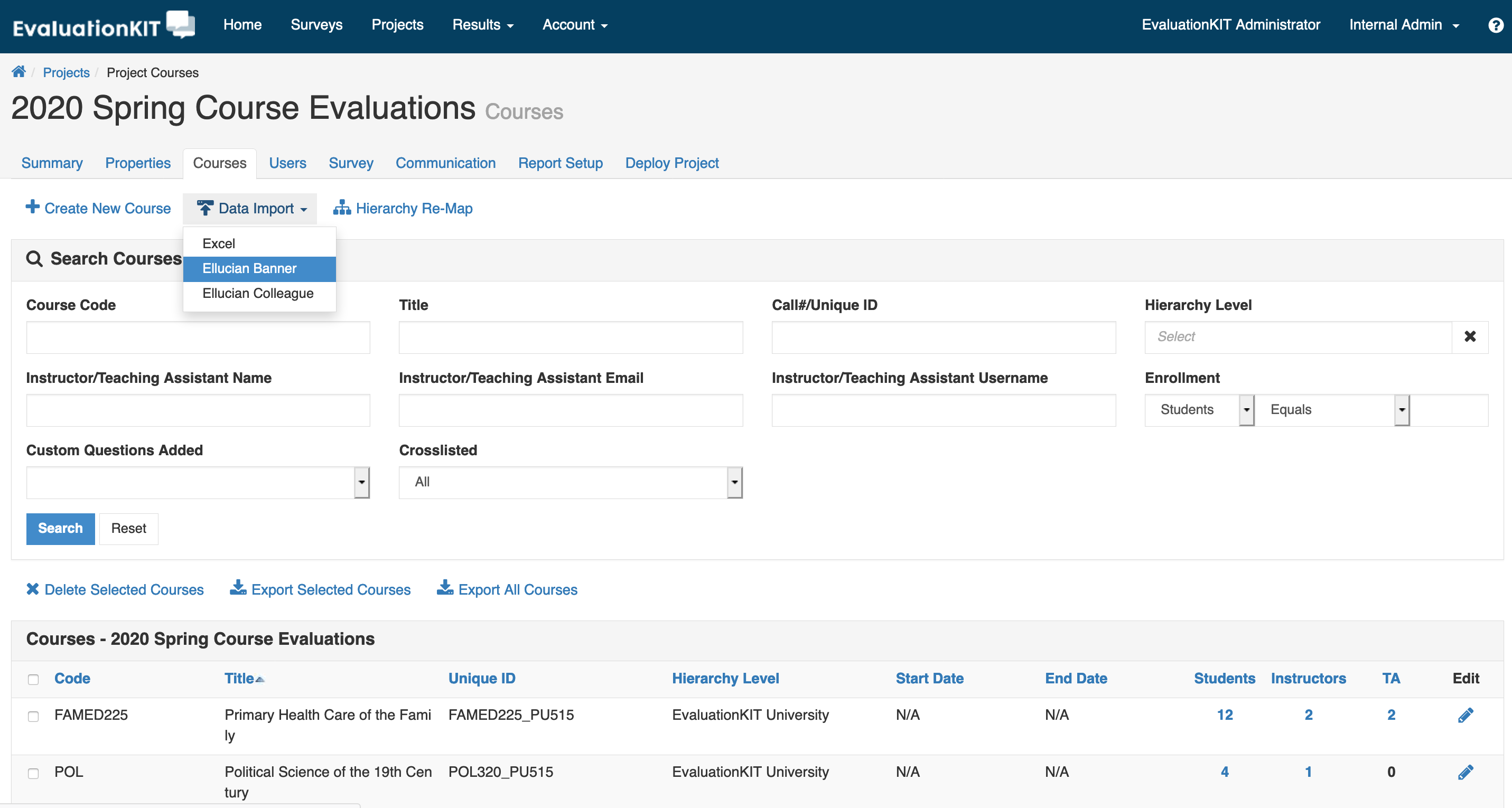
Please CLICK HERE to learn more about this integration, including how it works, how to determine if it’s the right fit for your institution, and how to configure it if you’d like to proceed.
- Email Sender Authentication Using DomainKeys Identified Mail (DKIM): To assist with ensuring that the emails EvaluationKIT sends to engage users in course evaluations and surveys are protected from spam, spoofing, and phishing, EvaluationKIT administrators are now able to use DomainKeys Identified Mail (DKIM) for those emails. DKIM can help you improve the email’s chance of not being labeled as spam and avoid phishing by verifying the sender of the email you’ve received. This optional setting is available under the Account > Outgoing Email Settings. If you make use of the DKIM option, you will need to consult with your campus IT department to make sure that DKIM is set up on your end, in your DNS, before you activate the setting in EvaluationKIT. If this is not the case, the emails from EvaluationKIT will not reach your users.
- Accessibility Enhancements for Hierarchy: With enhancements to how EvaluationKIT presents hierarchies, EvaluationKIT and Node Administrators are now able to more easily review, navigate and select from within your institution’s hierarchy using screen readers and keyboard navigation. Users can do this wherever the hierarchy is presented, such as when reviewing results and managing courses, using the Spacebar to open the hierarchy tree, the up and down arrows to navigate the tree, and Enter to select the hierarchy.
-
USERID Attribute in the EvaluationKIT API: When using the EvaluationKIT API, it is now possible to retrieve the USERID as part of the user details, and pass USERID as a query parameter to get the details for a specific user. More information on using the USERID attribute through the API is available to EvaluationKIT Administrators in our REST API documentation, available in the system under Account > API > Documentation.