Released: November 23, 2021
Language Support and Localization extended to Report Builder
- Language Translation in Report Builder PDFs: As promised in our previous release announcement, PDF exports for Report Builder reports can now export question text and response options in the user's selected language. If you’ve opted to make use of the system’s language localization capabilities and offer your users the option to select their own preferred language in the system, your users will find the Project Results, Instructor Report, Student Report, Instructor Means Report, and now Report Builder PDFs export question text and response options in the user's selected language, provided the question text has been translated in the selected language. If a user has not selected an alternative preferred language, survey question text will continue to display in the default language you’ve chosen for your system.
If you’re interested in learning more about Internationalization and Language Localization options in Watermark Course Evaluations & Surveys, you can do so HERE.
Instructor Means Reporting
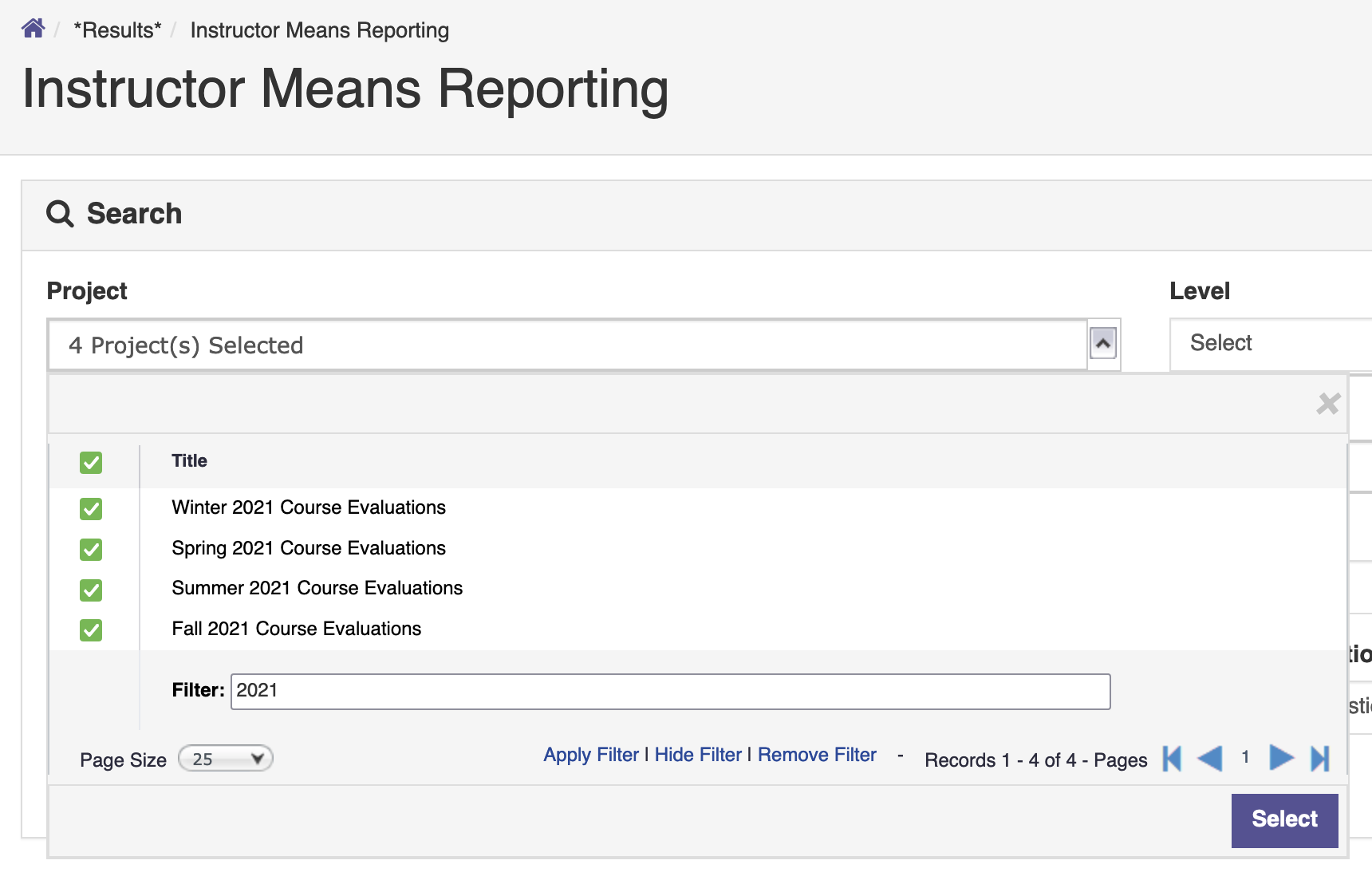
- We've added a new “Select All” option allowing you to add multiple projects to your Instructor Means Report with a single click. Similar to other areas within Course Evaluations & Surveys, you can apply a search filter to narrow your list, and then click the checkbox next to the "Title" header to select all projects in the list.
To learn more about Instructor Means Reporting, click HERE.