The EvaluationKIT user interface text, date and time formats can be localized to just about any language you want using this functionality. In the background, the Google Cloud Translation API has been utilized to translate text within the application to desired languages. The Google Cloud Translation API supports over one hundred languages, which are supported in the EvaluationKIT localization functionality.
NOTE
Localization features and additional laguages are enabled upon request. For more information, please contact eksupport@watermarkinsights.comWhen requesting this change to your account, you will indicate your desired default language and any additional language(s) that you want to offer in your EvaluationKIT instance. Once enabled, all users will see a language toggle with your enabled languages, allowing the user to switch their user experience to one of the available languages in your account.
- Once enabled, all text in the user interface will be presented in the selected language.
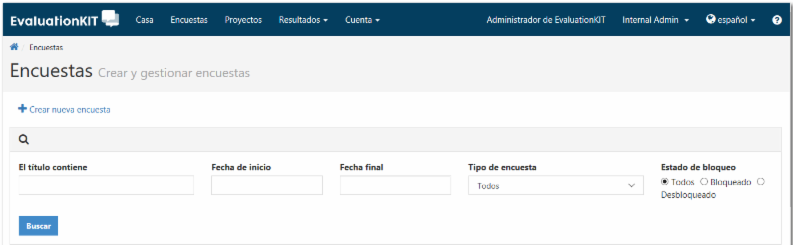
- Along with text being localized, once a specific language is selected from the language toggle, then the display of dates and time corresponding to that language will also be localized.
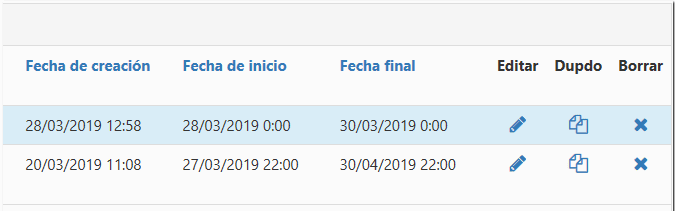
- Once multiple languages are enabled for your account, then users will see the Language Toggle in the upper right of the top navigation, which allows the user to switch between available languages.
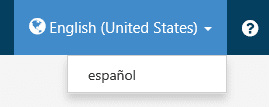
Surveys in Multiple Languages
In addition to language localization of the EvaluationKIT product, this release includes a multiple language survey feature to allow surveys to be authored and presented in multiple languages. This feature is slightly different from the overall product localization in that it allows user-created survey content to be presented in multiple languages (versus the application user interfaces). There are two elements to the multiple language survey functionality. First, users have the ability when creating and editing survey questions to also create versions of those survey questions in additional languages. Second, when surveys are presented to students/respondents, a toggle will show on the survey, allowing the user to switch the survey content to any of the available languages in which the survey has been setup to display.
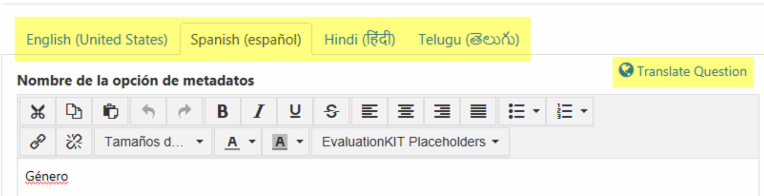
- If multiple languages are enabled in your EvaluationKIT instance, you will then see multiple corresponding language tabs when creating/editing survey questions, allowing you to add translated versions of the survey question in each of the available languages. A translation feature has been added to this section which utilizes Google's Cloud Translation API to optionally assist in translating text into the desired language. Then the survey author can make any additional text changes as desired.
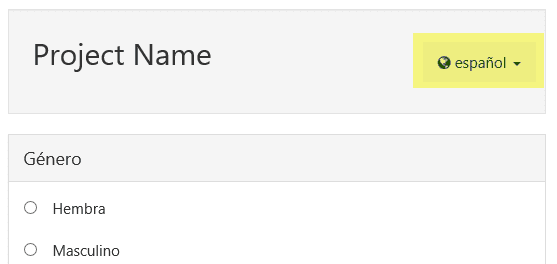
- If a survey has been authored in multiple languages, a language toggle will automatically display at the top of the survey, allowing the respondent to select their desired language from the available options.
If you have questions, please contact us at eksupport@watermarkinsights.com.