The following article provides information on how to promote / demote EvaluationKIT Administrators.
Promote EvaluationKIT Administrator
- Navigate to Account > Site Settings (section) > Manage Administrators.
- Under the Administrators section, click on the Edit (pencil icon) button, located to the right of the respective Administrator, to access Edit Administrator mode.
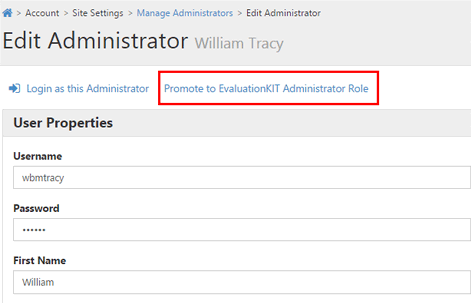
- In Edit Administrator mode, click on Promote to EvaluationKIT Administrator Role to promote the Administrator to the EvaluationKIT Administrator role.
Demote EvaluationKIT Administrator
- Navigate to Account > Site Settings (section) > Manage Administrators.
- Under the Administrators section, click on the Edit (pencil icon) button, located to the right of the respective EvaluationKIT Administrator, to access Edit Administrator mode.
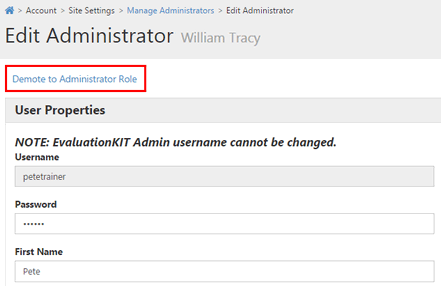
- In Edit Administrator mode, click on Demote to Administrator Role to demote the EvaluationKIT Administrator to the Administrator role.