EvaluationKIT offers a variety of integration features for Blackboard Learn customers that can both
- Streamline your operational process.
- Provide easy access for users within Blackboard, which together can facilitate your course evaluation and survey process.
INSTALLATION AND SETUP INSTRUCTIONS FOR USER INTEGRATION FEATURES
- Download the User Integration Building Block
- Navigate to Account Integration Settings (section) Blackboard Integration Building Blocks tab.
- Find the Blackboard Release version applicable to your institution and download the .ZIP file by clicking on the text link.
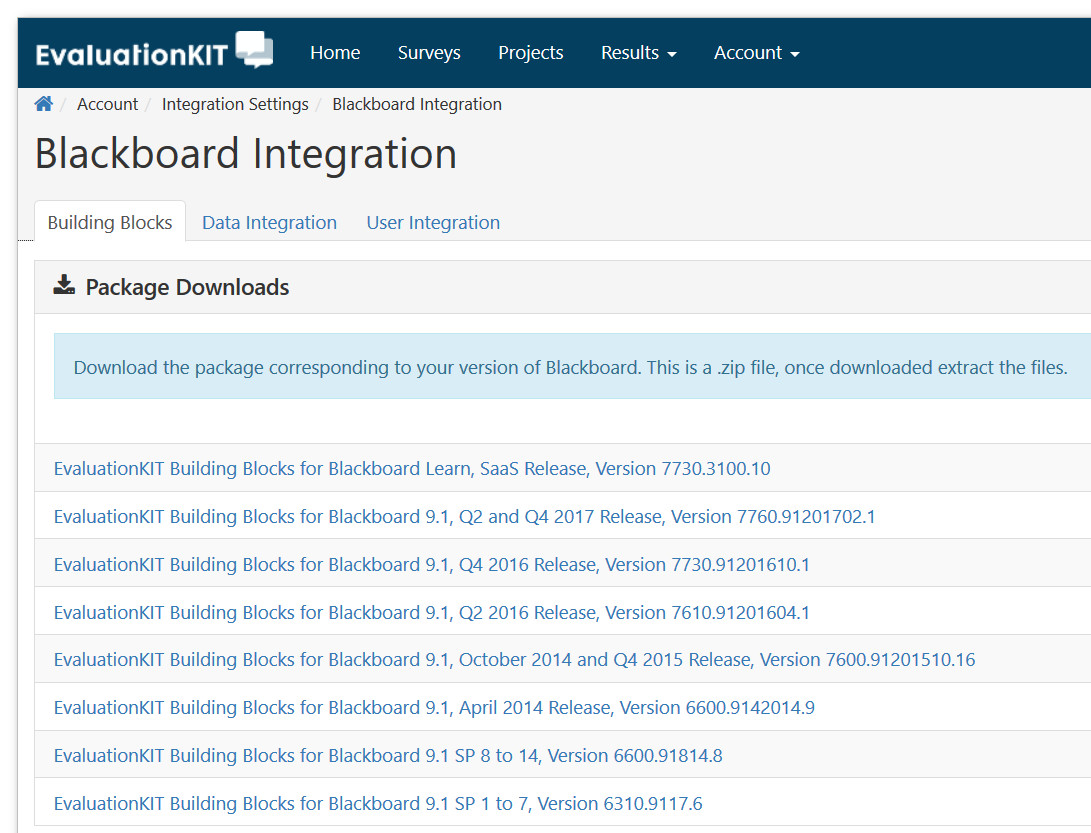
- The .ZIP file contains two (2) files
- EXTRACT all files from the .ZIP file
- Follow these steps to install the User Access Features of the Building Block
- Log in to Blackboard as the Blackboard System Administrator.
- Click on System Admin tab.
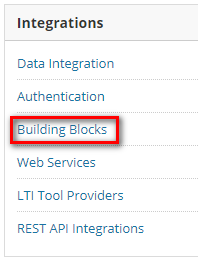
- Click Building Blocks under the Integrations section.
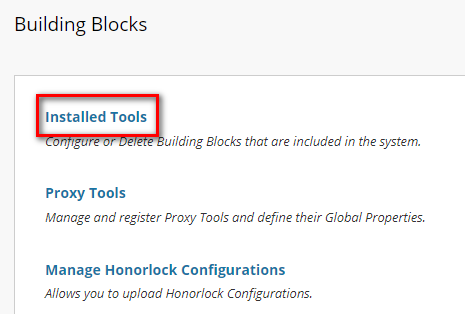
- Click Installed Tools on the Building Blocks page.
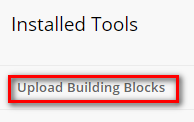
- Click Upload Building Blocks and the Install Building Blocks page will open.
- Click Browse and locate the EvaluationKIT EUIBB-9.1.XXXXXX.war OR EUIBB-BbLearn_SaaS.war file, which was included in the .ZIP file you downloaded from your EvaluationKIT account.
- Click Submit to upload the file to Blackboard.
- Once the block has been uploaded, click OK to return to the Manage Building Blocks page.
- Find the EvaluationKIT User Access Building Block within the list of Building Blocks. If the status of the Building Block is Inactive, change to Available, and then select one of the following approaches in the next section to turn on the display of the specific user access method(s).
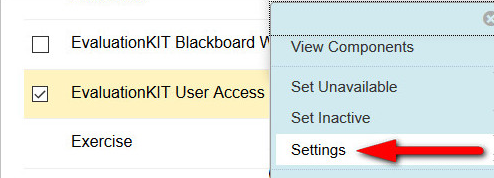
- Click Settings option on the Building Block to configure the Building Block.
- Find the EvaluationKITKeys.txt file from the .ZIP file you downloaded from your EvaluationKIT Account.
- This information may already be populated. Compare the information in Blackboard with the information in the .txt file. If the information is not populated, copy the information from the .txt file into the Building Block Settings for the URL, Consumer Key, and Secret Key.
NOTE: this information is NOT the same as the key and secret used for the Data Integration. - Click Submit.
- Configure the User Access Module on the My Institution Page: This will allow you to configure functionality for the module text, list of surveys to take, and automated survey notification that displays to students (e.g., the survey notification message).
- In Blackboard, Click on the System Admin tab; then, under Communities, click on Tabs and Modules.
- Click on Modules.
- Search for EvaluationKIT Course Evaluations, and down arrow and then select Edit Properties.
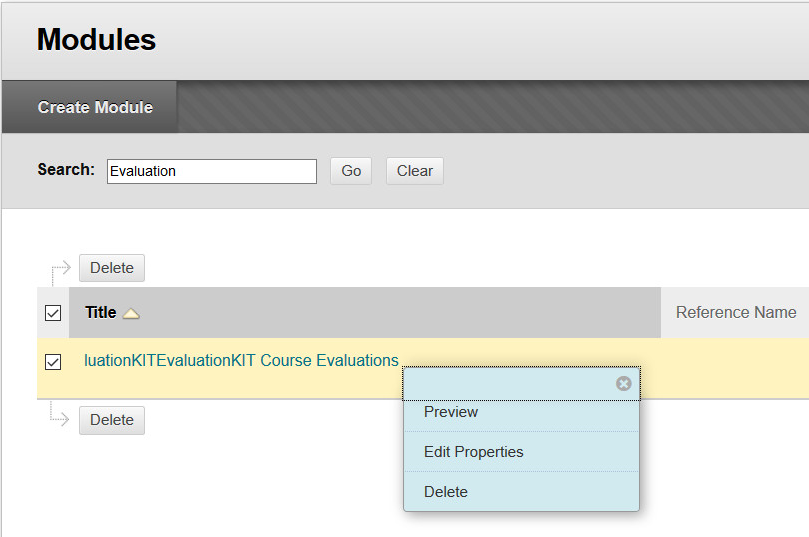
- Edit the Module Title as you want it to appear for users in the module.
- Under the Availability section, select System Availability = Yes.
- Find the Allow Asynchronous Loading checkbox and make sure the checkbox is NOT selected. If it is, deselect this option.
- When completed, click Submit.
- In EvaluationKIT, navigate to Account Integration Settings (section) Blackboard Integration User Integration tab to configure the behavior of the Module:
- For Student Users (users enrolled in EvaluationKIT as a Student)
- The Survey Notification
- The Module text to students
- Display of the Course List in the Module to students
- For Administrator Users (users enrolled in EvaluationKIT as a Administrators and EvaluationKIT Administrators)
- Display Link to EvaluationKIT
- The Module text to Administrators
- For Instructor Users (users enrolled in EvaluationKIT as an Instructor)
- Display Link to EvaluationKIT
- The Module text to Instructors
NOTE
EvaluationKIT will automatically check a user’s role in EvaluationKIT and display the appropriate survey notification, module information/text, etc. If a user is NOT enrolled in EvaluationKIT the Module will be automatically hidden in Blackboard.
- For Student Users (users enrolled in EvaluationKIT as a Student)
- Module Configuration Options for Student Users (Details)
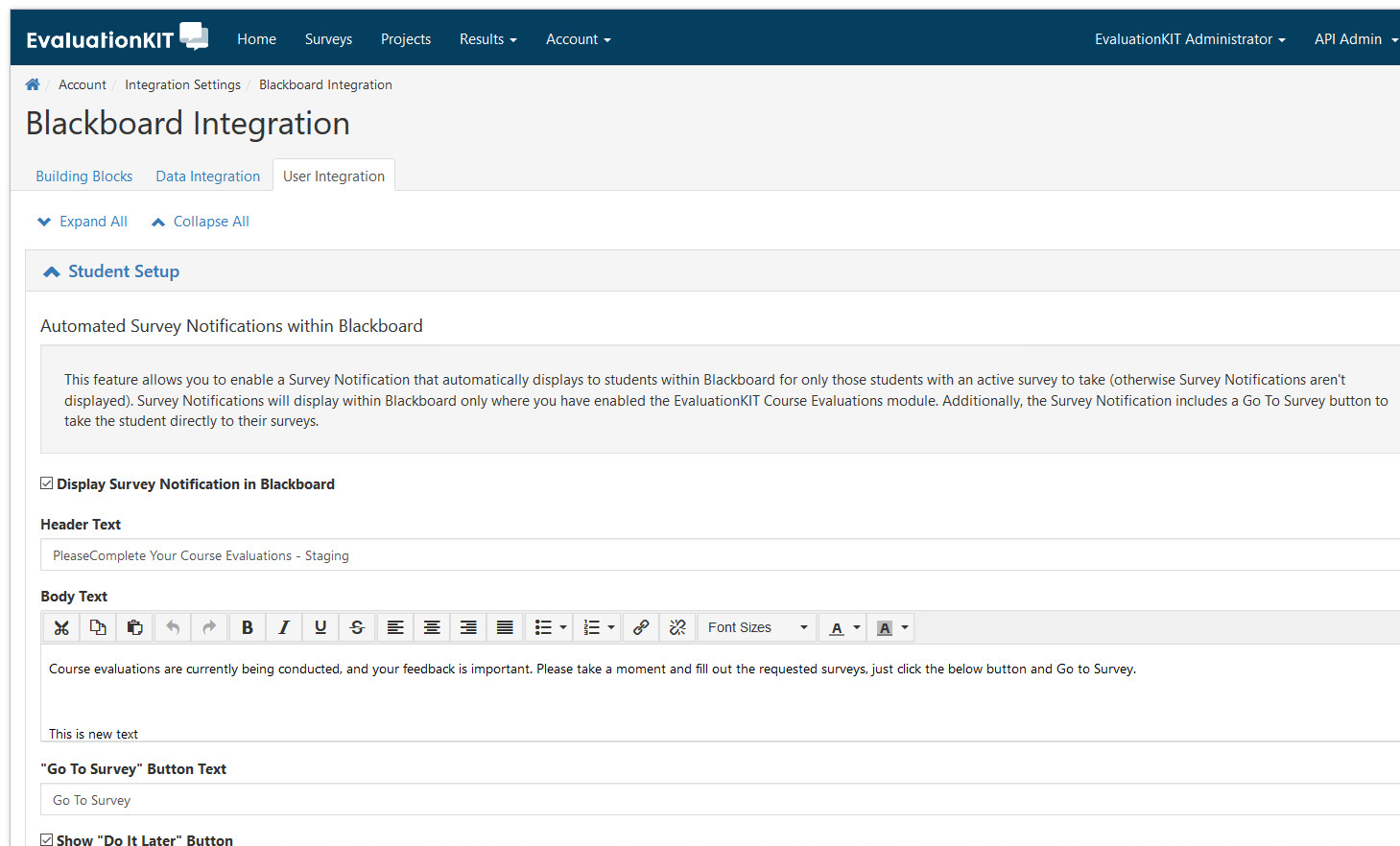
- Display Survey Notification within Blackboard: This feature allows you to enable a Survey Notification that automatically displays to students within Blackboard for only those students with an active survey to take (otherwise Survey Notifications aren't displayed). Survey Notifications will display within Blackboard only where you have enabled the EvaluationKIT Course Evaluations module. Additionally, the Survey Notification includes a Go To Survey button to take the student directly to their surveys.
- Display Checkbox: Enables/disables the automated Survey Notification to display to students in Blackboard.
- Header Text: Customize the header text of the survey notification.
- Body Text: Customize the Notification body text, with plain text, or you can insert HTML.
- Go to Survey button text: Customize the button text for the Go To Survey button.
- Do it Later button text: Customize the button text for the Do it Later button.
- Show Do it Later button: Show/hide the Do it Later button. Exclude the Do it Later option will remove this option from the survey notification. This will force the student to complete ALL active surveys they have to complete before being able to interact with their My Institution Page in Blackboard. In other words, this option will lock the student out of the My Institution Page until they complete ALL of their surveys. Also, if you would like to force students to complete their surveys before accessing their courses, make sure to follow this process for all tabs where students can access their courses (e.g., Courses Tab) and enable the module there too.
- Remove Do it Later Button: Automate hiding the Do it Later button X days before the survey ends.
- Do it Later Button text: Customize the text of the Do it Later button.
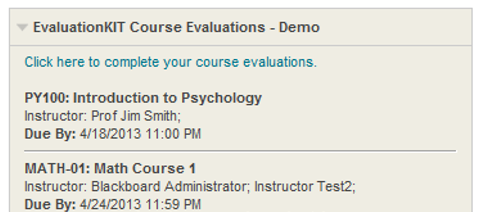
- Display Course List in Module: This feature allows you to automatically display to students the list of their courses where they have an active survey to complete. The list of courses displays within the EvaluationKIT Course Evaluations module within Blackboard. When enabled, the course name in the module is clickable and will take the student directly to their surveys. If the student doesn’t have any active surveys this module will be automatically hidden.
- Take Student Direct to Course Survey: This option takes the student directly to the survey for their course (provided the course information is aligned with EvaluationKIT). If unchecked, the student will go to their Student Dashboard in EvaluationKIT. This option is also used for the Survey Notification "Go to Survey" button.
- The last step is to add this module to your My Institution page, or additional tabs in Blackboard. Go to Tabs and Modules; then, Tabs, and edit Default Content (and Layout) to add this Module by selecting BOTH the Displayed and Required boxes.
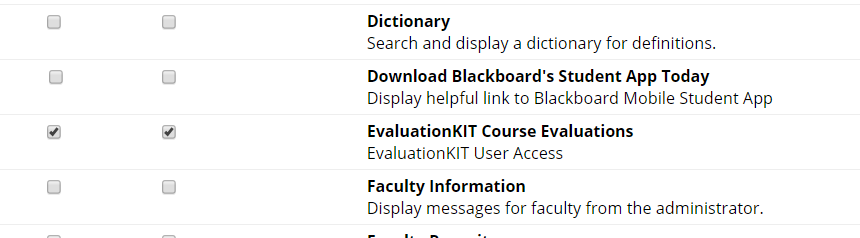
- Display Survey Notification within Blackboard: This feature allows you to enable a Survey Notification that automatically displays to students within Blackboard for only those students with an active survey to take (otherwise Survey Notifications aren't displayed). Survey Notifications will display within Blackboard only where you have enabled the EvaluationKIT Course Evaluations module. Additionally, the Survey Notification includes a Go To Survey button to take the student directly to their surveys.
- (Optional) Follow these steps to make available User Access as a Course Tool: This option will present EvaluationKIT as a Course Tool in courses, and take the student directly to their EvaluationKIT Dashboard, or if course unique IDs are aligned between Bb and EvaluationKIT AND the direct to survey option is selected; then, the student will go directly to the survey for the course.
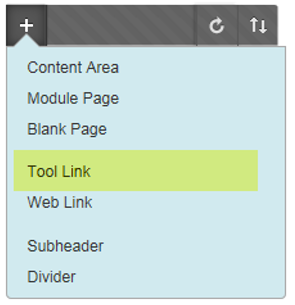
- (Optional) Follow these steps to make available User Access as a link in the Course Menu navigation in a Blackboard Course:
- Click Course Settings from the System Admin tab in Bb.
- Click on Course Menu & Structures.
- Select Tool Link in the dropdown.
- Add the desired menu name for the link.
- Select EvaluationKIT Course Evaluations from the Type dropdown.
- When completed, click Submit.
- All data transfers behind the scenes are secure using Web Services along with encrypted SSL encryption for security purposes.